In the world of DIY electronics and small-scale manufacturing, the right tools can mean the difference between frustration and flawless construction. For enthusiasts and professionals alike, the workshop is more than just a workspace; it’s a haven of creativity and precision. Among the fundamental skills in this realm, soldering stands out as both art and science. Yet, even the most experienced makers face common challenges: keeping components steady, ensuring clear visibility, and maintaining an extra set of hands when assembling intricate circuits. Enter the “Triple Threat” approach—leveraging helping hands, camera mounts, and thoughtful workflow strategies—to transform soldering into an accessible and efficient process.
## Understanding the Basics of Soldering
Before exploring techniques and tools, it’s helpful to revisit the foundation. Soldering is the process of joining two or more electronic components by melting a filler metal (solder) to create an electrically conductive bond. Done correctly, it forms a stable mechanical and electrical connection. From repairing a broken headphone wire to assembling custom printed circuit boards (PCBs), soldering is a critical skill. However, it demands a steady hand, sharp eyes, and great attention to detail. Among the hurdles, shaky workpieces and poor visibility rank among the top obstacles, especially for beginners.
## The Helping Hands Revolution
For anyone who has tried to solder tiny wires or attach surface-mount devices, the struggle is real. Fingers alone often lack the dexterity and steadiness required, which is why “helping hands” devices have become a staple in electronics workshops.
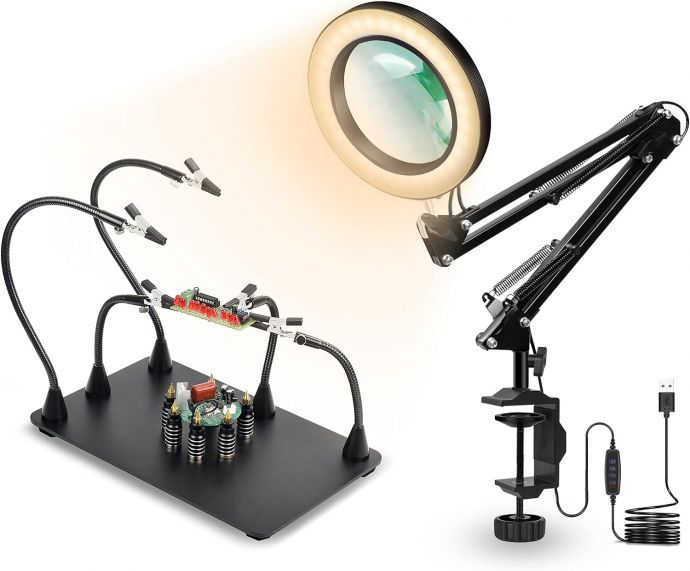
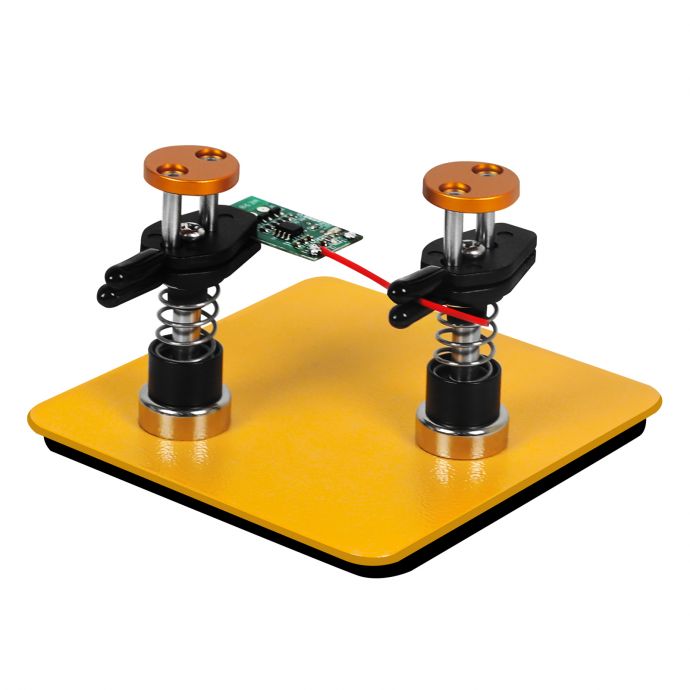
Helping hands are mechanical stands featuring adjustable arms with alligator clips. They serve as an extra pair of hands to hold components firmly in place. This simple but ingenious tool allows the user to concentrate solely on positioning the soldering iron and applying solder, without worrying about misalignments or burned fingers.
### Benefits of Using Helping Hands
1. **Stability and Precision**: Components don’t shift under pressure, making for neater and more reliable joints.
2. **Safety**: By keeping hands away from the hot tip of the soldering iron, accidents and burns are minimized.
3. **Efficiency**: The ability to set up complex assemblies and change positions quickly reduces fatigue and increases productivity.
4. **Versatility**: Many units come with features such as magnifying lenses, built-in LED lights, and weighted bases.
#### Advanced Helping Hands: Going Beyond the Basics
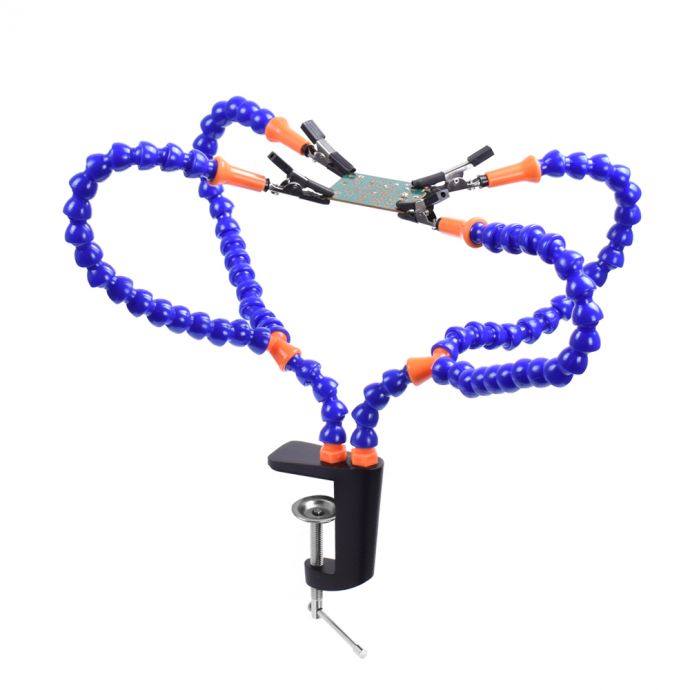
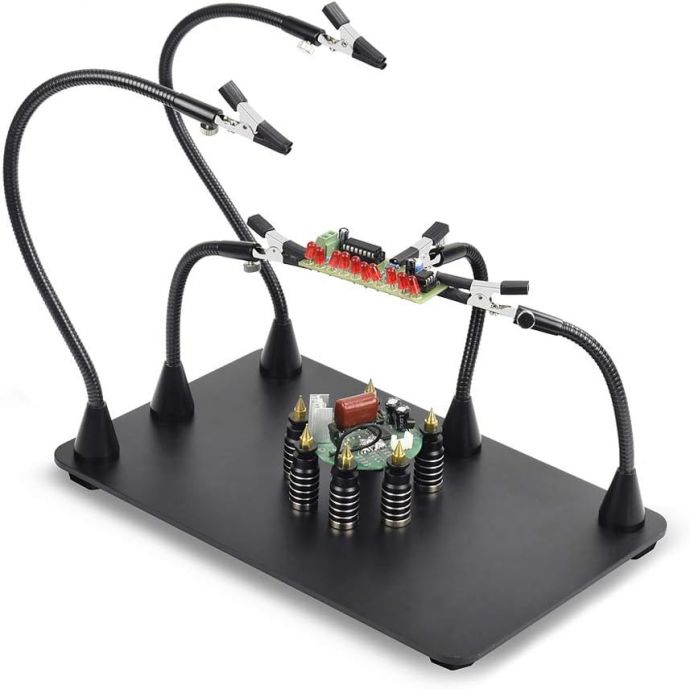
Modern versions extend beyond basic two-arm models. Flexible “octopus” style units with multiple, bendable arms allow simultaneous positioning of several parts or wires. Magnetic bases can be relocated across a steel plate for exactly the configuration you need. For those assembling multi-layer projects or working with awkwardly shaped boards, these modular setups are invaluable.
## Enhancing Vision: The Power of Camera Mounts
While helping hands address stability, one of the greatest challenges in soldering is proper visibility. Even well-lit workspaces can present shadows or blind spots, especially with small surface-mount technology (SMT) parts or high-density circuits. Magnifying glasses can help, but have limitations and sometimes hinder your view or cause neck strain.
The integration of camera mounts—especially with digital microscopes or HD webcams—has revolutionized precision soldering. Mounting a camera directly above or beside your work area enables detailed close-up views on a monitor, unlocking a range of new possibilities.
### Applications of Camera Mounts in Soldering
1. **Enhanced Detail and Quality Control**: High-resolution cameras reveal micro-cracks, solder bridges, or other flaws invisible to the naked eye.
2. **Remote Collaboration and Instruction**: Livestreaming your process or recording for later analysis empowers real-time teaching, troubleshooting, and feedback across the globe.
3. **Documentation**: Capturing before, during, and after shots creates a valuable visual record for instruction, improvement, or warranty validation.
### Setup Tips for Camera Mount Integration
- **Choose Flexible Arms**: Ball-jointed or gooseneck arms allow you to position your camera at the perfect angle, whether you need a bird’s-eye view or extreme close-ups.
- **Combine with Lighting**: Ring lights or LED panels paired with the camera eliminate shadows and ensure consistent illumination for clear imaging.
- **Non-Intrusive Positioning**: Set up mounts so that the camera doesn’t obstruct your workspace or create obstacles for your soldering iron or helping hands.
By transforming your workshop into a semi-digital workspace, camera mounts bridge the gap between traditional handcraft and high-tech oversight, ensuring both precision and comfort.
## Workflow Strategies: Bringing It All Together
The triple threat—helping hands, camera mounts, and effective workflow—culminates in a streamlined, adaptable soldering station. Here’s how to organize your process for maximum success.
### 1. Design Your Workspace Layout
- **Optimize Table Space**: Keep the soldering iron, solder, flux, and cleaning sponge within easy reach. Place helping hands and camera mounts near the work center, leaving space for movement.
- **Arrange for Ergonomics**: Your station should minimize repetitive strain. Ensure you have a comfortable seat and that the work surface is at the right height for your posture.
### 2. Prepare Materials and Tools
- Pre-tin wires and pads if possible.
- Lay out all components in the order you’ll use them.
- Double-check camera focus and lighting before starting.
### 3. Use Helping Hands for Secure Positioning
- Clip your PCB or wires with the helping hands, adjust the angle until you have clear line-of-sight.
- For delicate parts, add felt or rubber covers to the alligator clips to avoid scratching or crushing components.
### 4. Leverage the Camera Mount for Inspection
- Zoom in as you apply solder, monitoring the process on your monitor.
- Pause to inspect each joint, re-soldering or adding flux as needed.
- Capture stills if required for documentation or later review.
### 5. Clean and Review
- When finished, carefully remove the assembly from the helping hands.
- Examine each joint through the camera for even coverage, shininess (a marker of good wetting), and correct bridging.
- Record a final photo or video if necessary for your records.
## Practical Examples: Real-World Applications
### Scenario 1: Repairing a Broken Headphone Jack
- **Challenge**: The tiny three-conductor wires are nearly impossible to hold and solder by hand.
- **Solution**: Helping hands grip the wires and jack, while a mounted camera provides a close-up view. The result: precise, clean joints and a fixed headset.
### Scenario 2: Assembling Surface Mount Devices (SMDs) on PCBs
- **Challenge**: SMD parts are minuscule—sometimes no bigger than a grain of rice.
- **Solution**: Flexible helping hands hold the PCB steady, a microscope-mounted camera displays the process, and detailed images let you check alignment before and after reflow.
### Scenario 3: Collaborative Workshop or Online Tutorial
- **Challenge**: Teaching soldering remotely or documenting techniques for others.
- **Solution**: The camera mount captures your actions step-by-step. Viewers watch in detail and ask questions in real time, boosting the educational value.
## Choosing the Right Gear: Sourcing Tips
Not all tools are created equal. When outfitting your workshop, invest in reliability and flexibility.
- **Helping Hands**: Look for models with heavy, stable bases and multiple, movable arms. Consider versions with built-in magnifiers or LED illumination for added convenience.
- **Camera Mounts**: Select sturdy, vibration-free mounts compatible with your chosen camera or microscope. Ensure the connection is solid and the arm holds position during extended sessions.
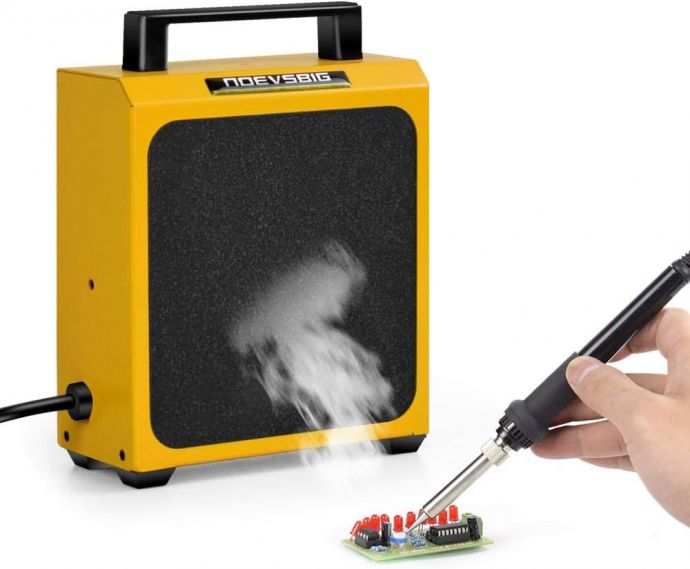
- **Compatible Accessories**: Add-ons like soldering mats, fume extractors, and ESD protection mats complete the setup for safety and longevity.
## Troubleshooting: Common Pitfalls and Solutions
Even the best workshops encounter challenges. Here are a few tips:
- **Slipping or Tipping Helping Hands**: If your helping hands keep shifting, add weight to the base or place a non-slip mat underneath. For expensive PCBs, use soft-jawed clips.
- **Camera Focus Issues**: Adjust the working distance, check the camera’s focus ring, and use manual over auto mode when possible to avoid “hunting.”
- **Lighting Glare**: Soften light with diffusers or reposition lamps to avoid harsh reflections on shiny solder joints.
## The Future: Merging Analog and Digital
As DIY electronics matures, the blending of physical tools and digital aids will accelerate. Soldering robots and augmented reality overlays are already in development, but for now, the trusty trio—helping hands for stability, camera mounts for vision, and smart workflow for efficiency—offer an accessible, affordable gateway to professional-grade results.
## Conclusion: Soldering Success, One Triple Threat at a Time
Mastering soldering isn’t about talent; it’s about preparation and the right approach. Whether you’re mending a cherished gadget, building a custom circuit, or training the next generation of makers, combining helping hands, camera mounts, and organized workflows transforms soldering from a daunting task to an enjoyable, repeatable process. The “Triple Threat” doesn’t just make soldering simple—it elevates it to an art anyone can master in their own workshop.
Armed with these tools and strategies, every user can go from amateur to artisan, one joint at a time. Happy soldering!