Precision soldering is one of those skills that looks simple on the surface—apply heat, add solder, let it flow, and you’re done. But anyone who has worked on fine-pitch components, delicate wire harnesses, rework on multilayer boards, or long sessions of electronics assembly knows the truth: success depends on stability, repeatability, and control. A fraction of a millimeter of movement can ruin a joint. A board that shifts during heating can lift pads. A cramped workspace can turn a careful job into a frustrating one.
That’s why the “third-workstation” idea—an extra, purpose-built positioning and holding system—has become a quiet revolution for both electronics enthusiasts and working technicians. More than a typical helping hands setup, an XL magnetic third-workstation configuration brings a new level of flexibility and precision to soldering benches. It’s not just about holding a board. It’s about giving you a reliable platform that adapts to how you actually work.
Below, we’ll explore why this XL magnetic third-workstation approach changes the game, how it improves control and accuracy, and what makes it especially valuable for demanding soldering tasks.
---
## Why “helping hands” aren’t always enough
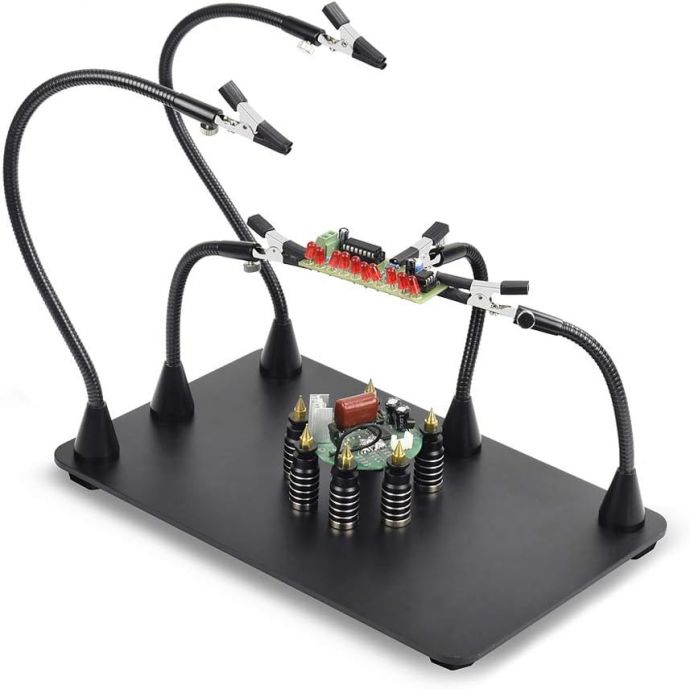
Traditional helping hands usually provide a clamp base and a pair of adjustable arms fitted with alligator clips or similar grips. They’re useful, especially for basic tasks like holding a wire while you solder one end. But as projects become more complex, the limitations show up quickly:
- **Limited positioning options:** You often get a couple of angles at best, and moving those arms can be fiddly.
- **Partial or uneven support:** Boards may be held by clips only, leaving edges unsupported and prone to flexing.
- **Heat and fatigue challenges:** If the part you’re soldering moves slightly while you reheat, your joint quality suffers.
- **Workflow bottlenecks:** You might need one arm to hold the board, another to position the component, and a third to guide a wire—yet standard kits rarely provide that kind of ergonomic freedom.
The result is a common frustration: you spend more time fighting your setup than doing the craft.
---
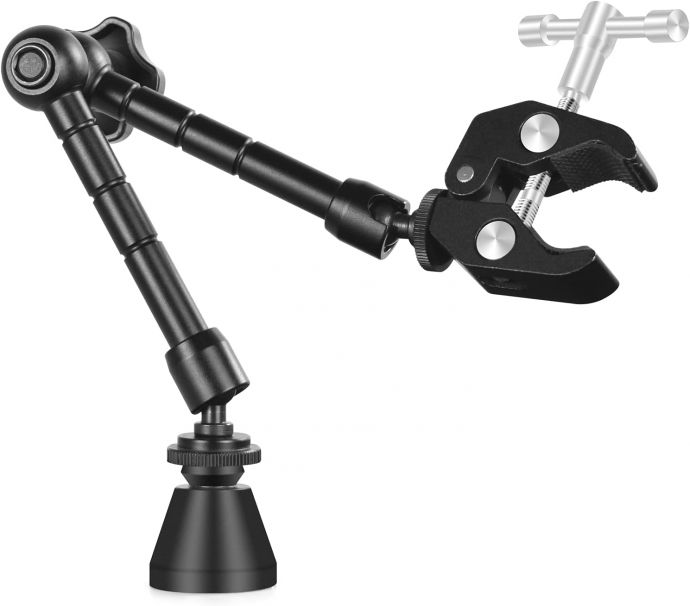
## The concept: a third magnetic workstation for real control
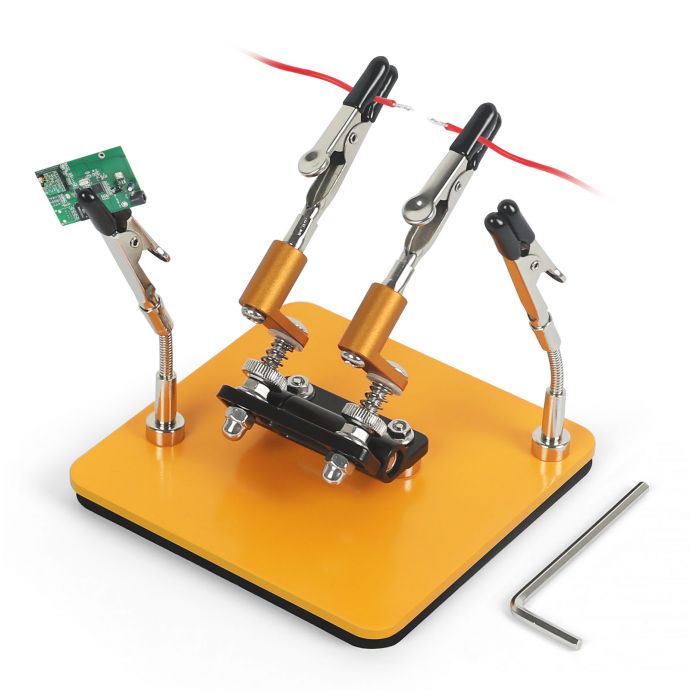
The breakthrough comes from adding a dedicated “third workstation” that acts as a stabilizing element alongside the primary holding arms. When this is done with **XL sizing and magnetic functionality**, you gain two major advantages:
1. **More physical stability**
An enlarged, magnet-assisted platform helps keep the workpiece steady in multiple directions, not just at one gripping point. This reduces micro-movement during the soldering cycle—especially critical when you’re heating for longer, reflowing thicker leads, or soldering components with higher thermal mass.
2. **More flexibility in how you build and rework**
With a magnetic arrangement, you can reposition holding elements quickly and confidently. Instead of loosening multiple knobs, re-aligning arms, and tightening again, you can fine-tune your setup by snapping parts into place or changing orientation within the magnet’s repeatable reach.
Think of it as adding a second “anchor system” to your workspace. Instead of hoping the clip angles match your needs, you can build a setup around the task—whether you’re soldering wires, installing connectors, working on PCB rework, or assembling small modules.
---
## XL scale matters more than you think
“XL” isn’t just a marketing term. In soldering, size translates into practicality. A larger magnetic workstation typically offers:
- **Bigger working area for tools and parts**
- **Improved clearance for wires, leads, and soldering irons**
- **More surface contact options**
- **Easier alignment with larger PCB sections or test fixtures**
When you’re working with a bigger board than the typical electronics hobby size, you need stable support across more than one point. XL layouts are designed to prevent the “one corner lifts when heated” problem—one of the most common causes of damaged pads and distorted component alignment.
Even if your projects are small, XL features often make your workspace calmer: you can spread components, keep flux bottles accessible, and prevent accidental knocks that shift a wire mid-solder.
---
## Precision soldering: stability beats brute force
High-quality soldering relies on the same principle as any precision work: **the workpiece must be where you left it.** A third magnetic workstation improves stability in practical ways:
### 1) Reduced board flex during heating
When a PCB warms up, slight expansion and pressure from your hands or tools can cause subtle flex. If the board is held only by clips at two points, the heat cycle can create uneven pressure—leading to cracked joints or lifted pads. Added workstation support spreads the load and reduces movement.
### 2) More consistent joint placement
For through-hole and surface-mount tasks, alignment matters. When you can hold the board steady and also support the component body or wire run, you can focus on solder flow rather than chasing alignment.
### 3) Safer rework and troubleshooting
Rework is where stability becomes non-negotiable. When you remove components, wick solder, and reattach leads, the board is already stressed. If your fixture slips even slightly, you risk pad damage. A magnetic third workstation helps you keep repeat positioning while you cycle heat on and off.
---
## Flexibility for real-world workflows
Electronics work rarely follows a single “best” soldering method. You might need different setups for:
- Soldering short jumper wires
- Installing headers and connectors
- Tacking components temporarily before final soldering
- Building wire harnesses
- Reflowing or replacing parts on populated boards
The XL magnetic third-workstation design supports workflow changes without demanding a complete teardown. Instead of rebuilding your entire holding configuration every time you change tasks, you can:
- reposition the magnetic supports quickly,
- adjust the holding angles to match your soldering iron access,
- and keep multiple elements stable at once.
That means fewer interruptions and fewer moments where you’re tempted to “just do it by hand” and risk a misaligned joint.
---
## Ergonomics: your hands deserve a break
Precision soldering is often harder on your wrists and fingers than it looks. When your setup is unstable, you unconsciously compensate by gripping harder, bracing the board more aggressively, or repositioning frequently. That adds fatigue and can slow you down.
A more stable multi-workstation holding system helps you maintain posture and consistent control. You can:
- keep your soldering iron approach consistent,
- reduce the need for constant micro-adjustments,
- and maintain a smoother, steadier rhythm.
For professionals, this matters because time is money and repeatability is quality. For enthusiasts, it matters because long projects can stop being enjoyable when the bench becomes a battlefield.
---
## Better heat management and cleaner joints
A stable fixture doesn’t just prevent physical movement—it can also improve the soldering outcome. When the workpiece doesn’t drift, you’re more likely to achieve:
- consistent solder wetting,
- less “chasing” with additional heat,
- improved joint surface appearance,
- and fewer cold joints caused by interrupted contact or shifting.
Additionally, a third workstation often provides better access to the joint area. When you can position your iron confidently and maintain contact time without bumping surrounding components, you reduce accidental reflow of nearby parts.
---
## Who benefits most from an XL magnetic third workstation?
While the benefits are broad, certain types of work reveal the biggest advantages:
### Electronics enthusiasts and makers
If you build kits, mod devices, or create prototypes, you’ll appreciate the faster setup changes and improved stability when working on varied parts and unfamiliar layouts.
### Repair technicians and refurbishers
When you regularly replace connectors, repair harnesses, or troubleshoot assemblies, rework reliability is everything. A third workstation makes it easier to keep parts aligned through multiple cycles.
### Engineers and educators
In lab environments, standardizing setups helps reduce variability across students or technicians. A stable magnetic system makes demonstrations clearer and hands-on work less frustrating.
### Anyone working with small, delicate components
Fine-pitch headers, thin wires, small PCBs, and components with tight spacing often punish instability more than beginners realize. Better holding translates directly into fewer errors.
---
## How to get the most out of your setup
Even the best workstation won’t deliver precision if it’s used randomly. Here are practical habits that align perfectly with the XL magnetic third-workstation philosophy:
1. **Anchor the board first, then set the component**
Use the primary clamps and magnetic workstation to prevent movement. Once the board is stable, position the component and lock in the second point of support.
2. **Plan your soldering iron path**
Before applying heat, confirm you have enough clearance. If your iron hits the fixture or forces you to approach at an awkward angle, reposition before soldering.
3. **Use consistent pressure**
Don’t push parts into place with force. Magnetic and mechanical stability should reduce the need for manual pressure—especially on small leads.
4. **Work in stages**
For larger connectors or multi-pin components, tack one side, verify alignment, then complete soldering. A stable workstation helps you tack without shifting.
5. **Keep rework surfaces clean**
Stability helps, but cleanliness still determines success. Use flux properly, remove old solder as needed, and ensure pads are ready before final reassembly.
---
## The bigger picture: upgrading your bench changes your results
There’s a difference between buying a tool and upgrading your workflow. A typical helping hands set is helpful, but it often forces you to work around its limitations. An XL magnetic third-workstation revolution pushes the opposite direction: the tool adapts to the way you want to solder.
When your bench becomes more stable and flexible, your projects become smoother. You waste less time repositioning. You worry less about accidental movement. And you focus on what really matters: making clean, reliable joints that hold up after assembly, stress,